Installing MelonLoader
MelonLoader is the mod loader used by StellarDrive. Whether you want to create mods or simply use them, you'll need to install MelonLoader first.
Downloading MelonLoader
Download the MelonLoader installer: MelonLoader
Installing
-
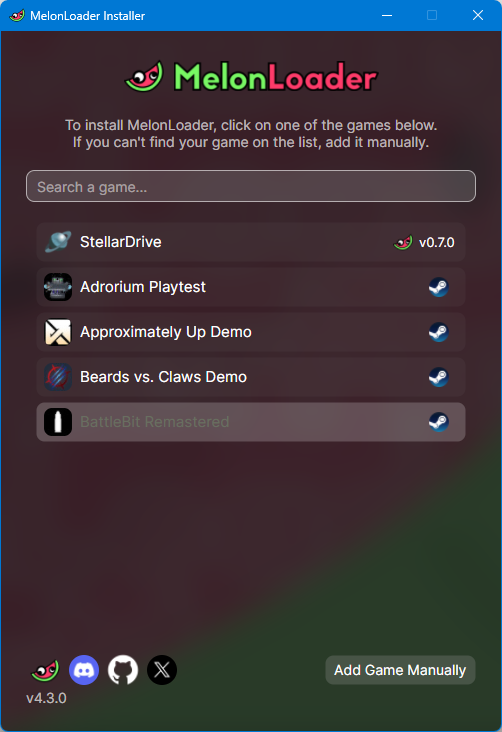
Run the installer. It should look similar to the screenshot below (the list of installed games may differ).
Note
If you own StellarDrive on itch.io, it won't appear automatically in the installer. Click Add Game Manually in the bottom-right corner and select your
StellarDrive.exe.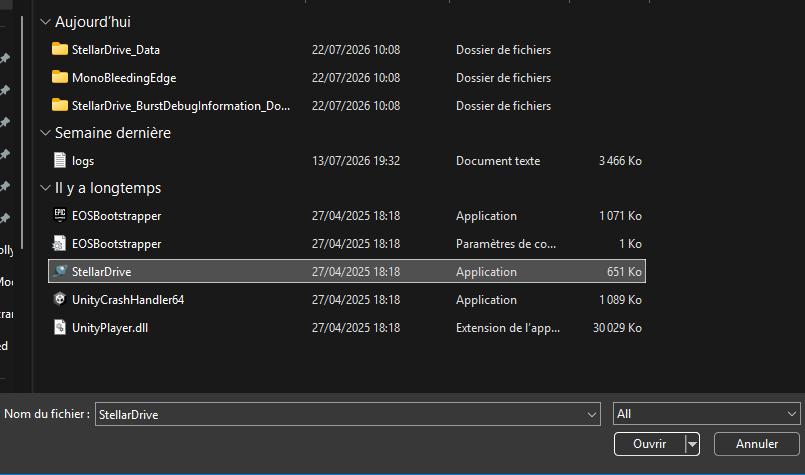
-
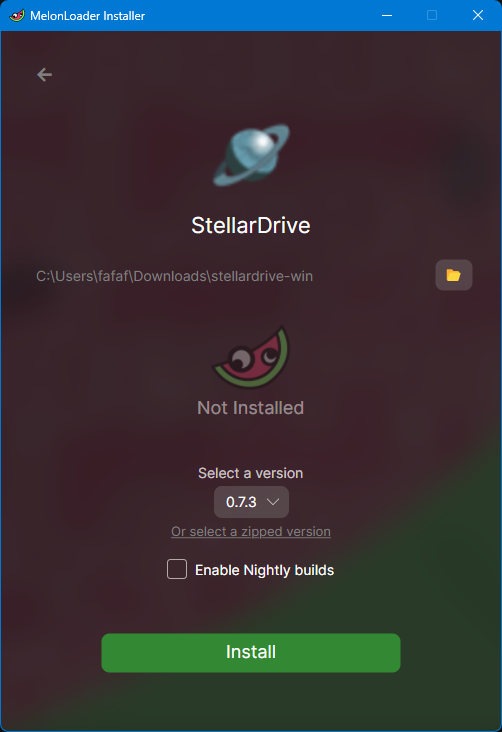
Press the Install button.
-
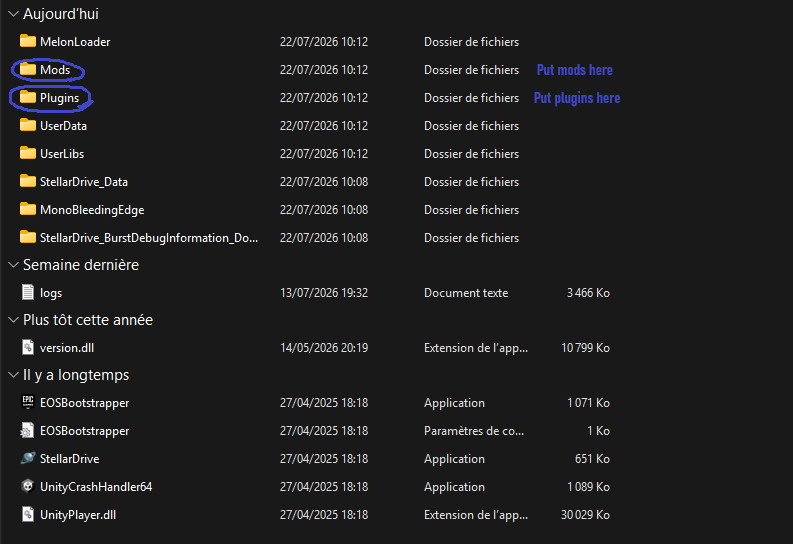
Verify the installation.
After the installation is complete, your StellarDrive folder should contain the following directories:
Tip
If the
ModsorPluginsfolder is missing, you can create it manually by creating a folder with the same name.
Next Step
MelonLoader is now installed. Continue by creating your first StellarDrive mod: